See it at a glance
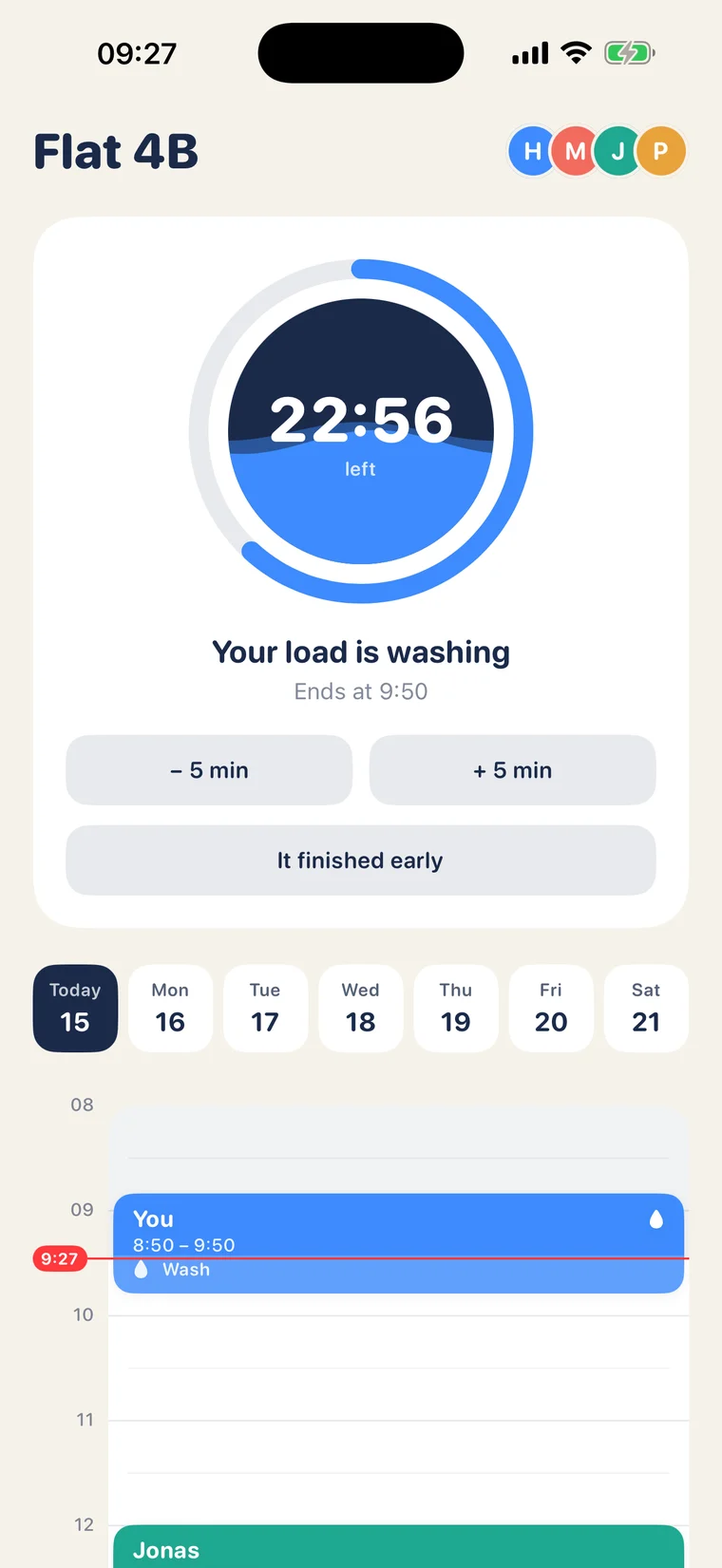
- A live countdown for the load in the machine
- A day timeline with everyone's loads and bookings, one colour per person
- Works with several machines: washers, dryers, and washer-dryers that show whether they are washing or drying
 Spin
Spin is a shared laundry schedule for people who live together. One washer, a few of you: see when it is free, book a slot, and get a nudge when your load is done.
Already using Spin? Get help or write to info@oladia.net.
Spin is free. No ads, no tracking.
It keeps the name you type, your laundry schedule, and what it needs to send you alerts. The privacy policy has the full picture.
A shared laundry schedule for people who live together · iPhone
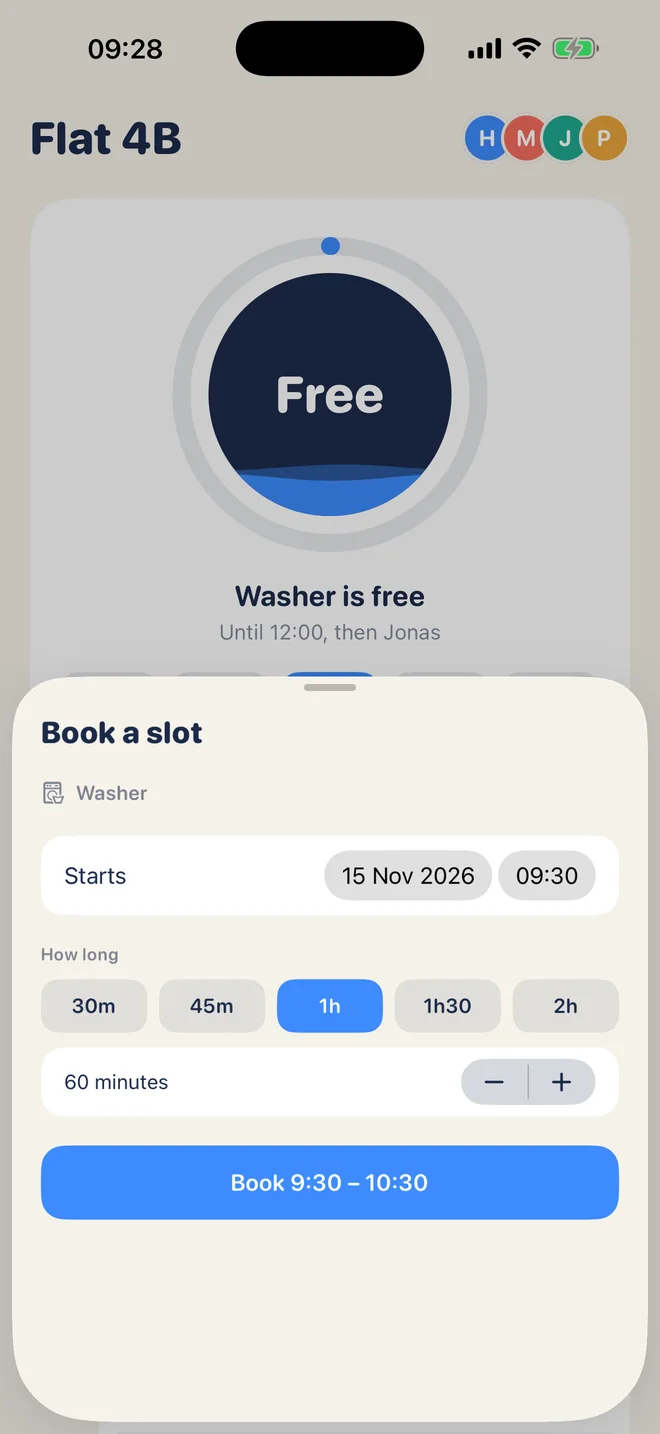
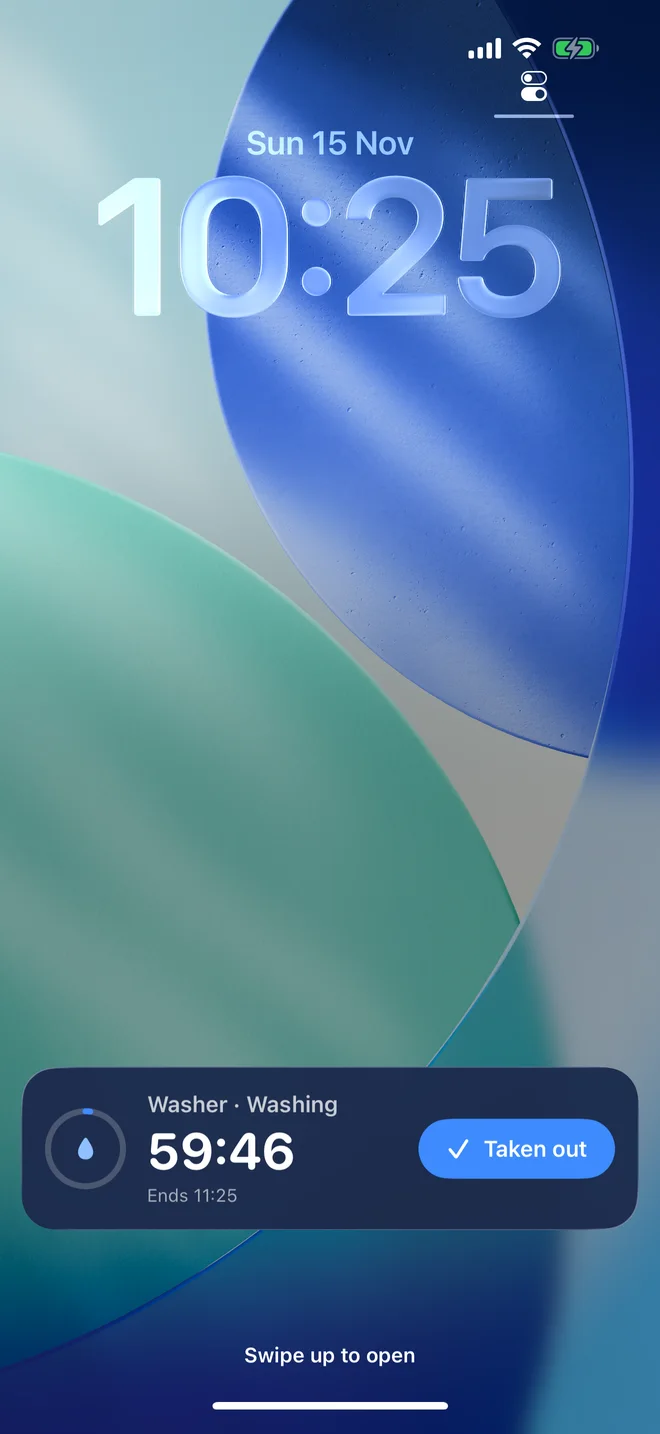
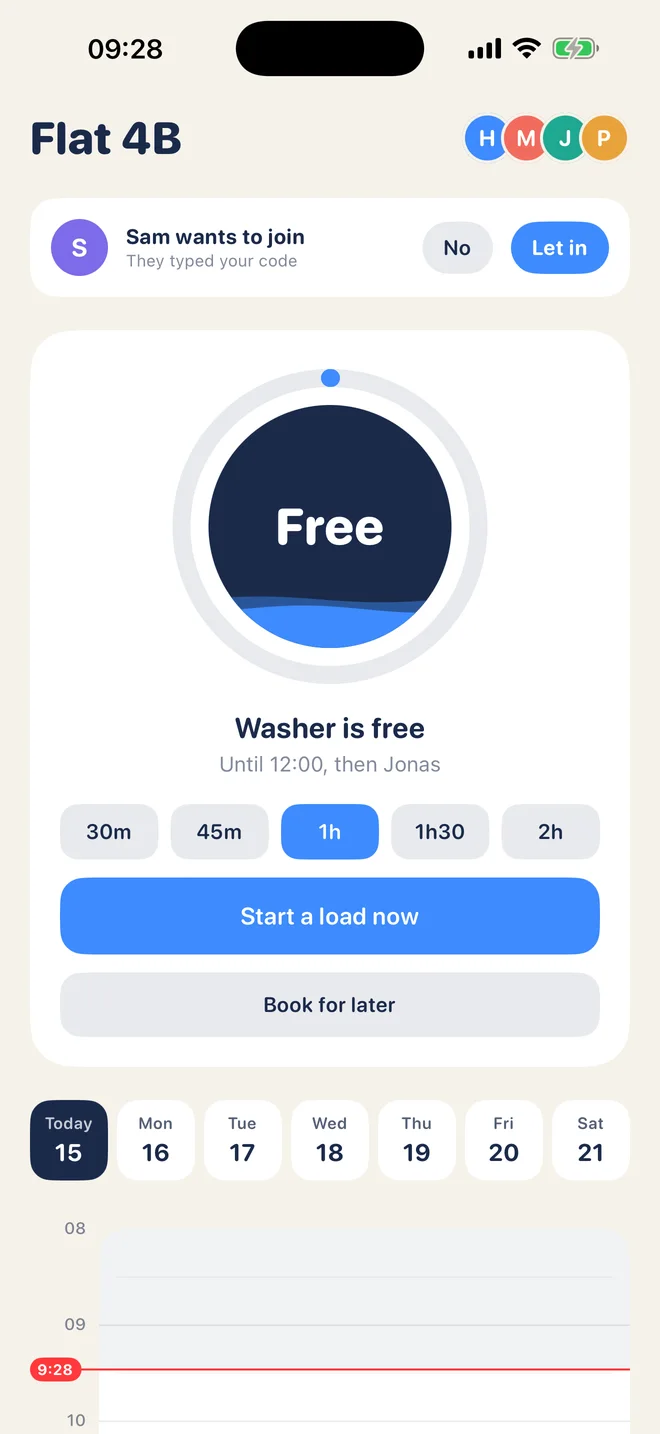
Spin shows when the washer or dryer is free, lets you start a load or book a slot, and tells you when laundry is done. Everyone in the household sees the same schedule.
Write to info@oladia.net. We read every message and usually reply within a few days.
Ask someone who already uses Spin in your home for the six-character code. In Spin, choose “Join with a code”, type it, and tap “Ask to join”. Someone already in the household then taps “Let in” on their phone. Your screen moves on by itself.
Open Spin. If you see “Turn on alerts for laundry” or “Alerts are off. Turn them on in Settings”, tap it. Also check that a Focus mode is not silencing Spin. To stop alerts about other people’s loads only, tap the people icons at the top right and switch off “Tell me when other people’s loads finish”.
Tap the people icons at the top right, find the person under People, and tap “Remove”. Their upcoming slots are freed.
Tap the people icons at the top right and choose “Get a new code”. The old code stops working. Everyone already in the household stays in.
Spin has no accounts, so a new phone joins as a new person. Ask to join with the code, have a housemate let you in, then ask them to remove your old entry.
Tap the people icons at the top right and choose “Leave this household”. This deletes your details from our server. See the Spin privacy policy for the full picture.